
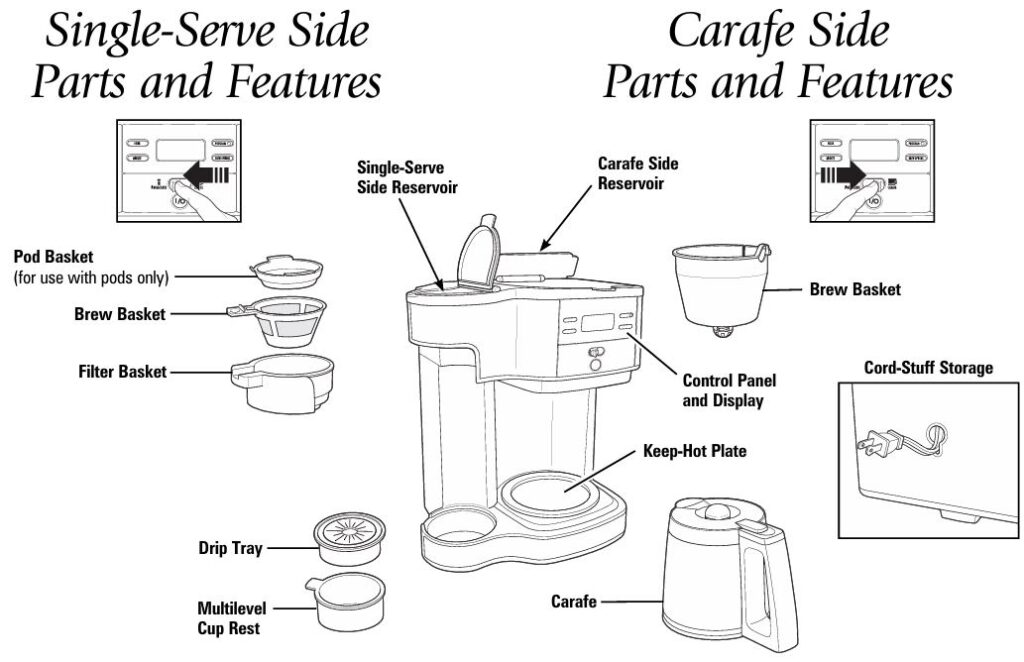
The Hamilton Beach 49980RG 2-Way Programmable Brewing Machine is an exceptional coffee maker that offers a versatile brewing experience. Whether you prefer a single cup of coffee or a full 12-cup pot, this machine is designed to meet your needs. However, like all appliances, it may experience occasional issues that can affect its performance.
This comprehensive troubleshooting guide will address common problems associated with the Hamilton Beach 49980RG and provide detailed solutions based on the user manual for effective fixes.
Common Issues and Solutions for Hamilton Beach 2-Way Coffee Maker
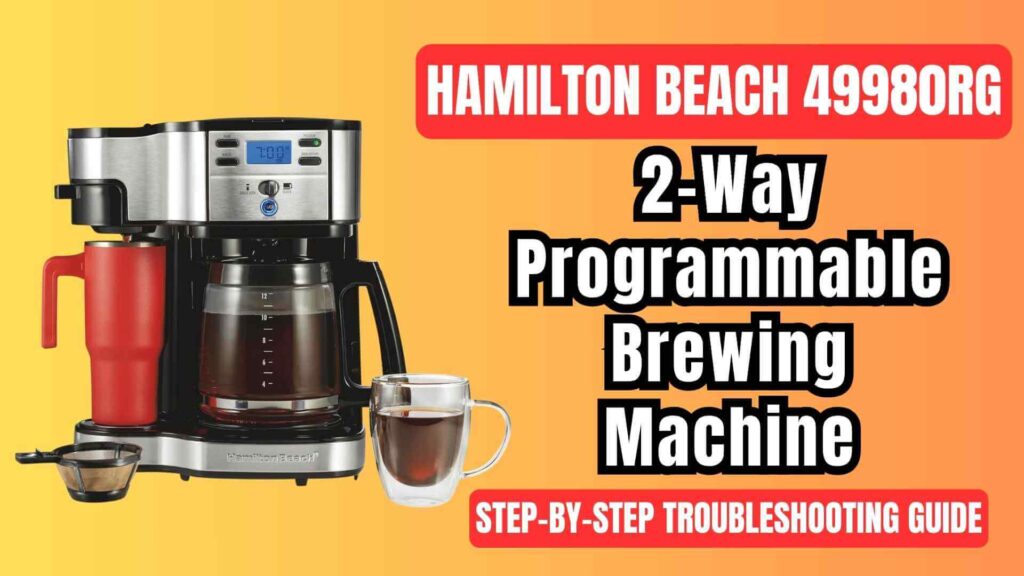
The Hamilton Beach 49980RG coffee maker is built to deliver high-quality coffee, but there are a few common issues that users may face. Below are the most frequent problems and their corresponding solutions, as validated by the user manual.
1. Weak Coffee
Probable Causes:
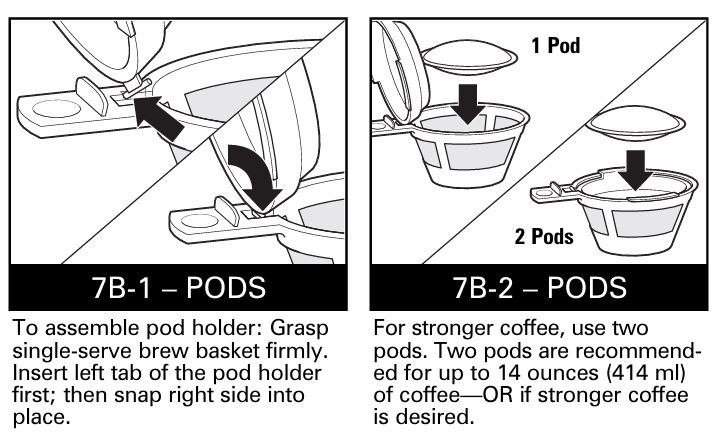
- Not Enough Ground Coffee: If you’re using ground coffee instead of pods, insufficient grounds can result in weak coffee. Additionally, if you use pods, make sure they are placed correctly in the pod holder.
- Improper Coffee Grind: Using coffee grounds that are too coarse or too fine can impact the brewing process, leading to weak coffee.
- Poor Coffee Quality: Stale or poor-quality coffee beans can affect the taste and strength of the coffee.
- Water Quality: Tap water contains minerals that can affect the taste of the coffee. Using filtered or bottled water can significantly improve the coffee’s flavor.
Solution:
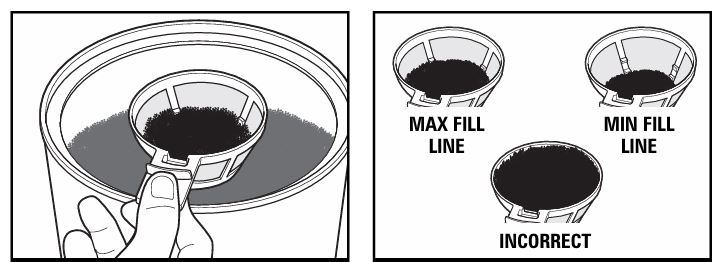
- Increase the Coffee Grounds: For a stronger brew, ensure that you use enough ground coffee. Typically, 1 tablespoon (15 ml) of ground coffee per cup is ideal. For stronger coffee, increase the amount of grounds.
- Adjust the Coffee Grind: Set your grinder to an automatic drip grind to avoid over-extraction or under-extraction. A medium grind is recommended.
- Use Fresh, Quality Coffee: Freshly ground coffee will always yield a stronger, better taste. If using pre-ground coffee, ensure that it is within its expiration date.
- Opt for Filtered Water: Use filtered or bottled water instead of tap water to avoid unwanted minerals that can alter the taste of the coffee.
2. Coffee Overflows from Brew Basket
Probable Causes:
- Excessive Coffee Grounds: Too much coffee in the brew basket can lead to overflow, especially when brewing a large amount.
- Decaffeinated or Flavored Coffee: Certain coffee types, particularly decaf or flavored coffees, may cause overflow due to their fine ground texture.
- Excessive Water in the Reservoir: Overfilling the water reservoir for single-serve brewing can lead to spillage.
- Improper Filter Usage: Using the wrong type of filter or not placing it properly can cause overflow.
Solution:
- Use the Correct Amount of Grounds: Ensure that you are using the appropriate amount of coffee grounds for the size of the mug or carafe. For a single-serve brew, do not exceed the recommended 14 ounces (414 ml) of water.
- Use a Coarser Grind for Decaf: When brewing decaf or flavored coffee, slightly reduce the amount of grounds, as they tend to overflow more easily.
- Adjust Water Levels: Fill the water reservoir only to the necessary level for the size of the brew. Avoid exceeding the 14-ounce mark for a single-serve.
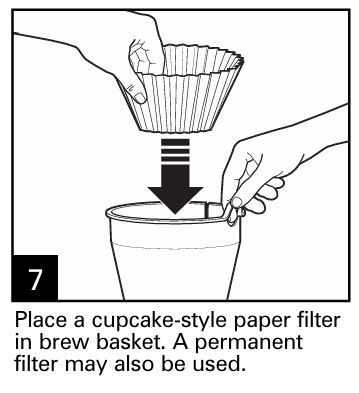
- Proper Filter Placement: Ensure that the filter is correctly placed and properly opened to prevent it from obstructing the flow of coffee.
3. Coffee Brews Slowly
Probable Causes:
- Mineral Deposits: Over time, mineral deposits can build up in the coffee maker, particularly in the pump, which can slow down the brewing process.
- Coarse or Fine Coffee Grind: Using the wrong grind can cause the brewing process to slow down.
- Clogged or Dirty Parts: A dirty brew basket or reservoir can also contribute to slow brewing.
Solution:
- Descale the Coffee Maker: Run a cleaning cycle using a solution of 50% white vinegar and 50% water. This will remove mineral buildup and improve brewing speed. Afterward, run 2-3 cycles with clean water to rinse the machine thoroughly.
- Adjust Grind Size: Make sure to use a medium grind, as coffee that is too coarse or too fine can clog the filter and slow down brewing.
- Clean the Coffee Maker Regularly: To avoid future slow brewing, ensure that the brew basket, carafe, and water reservoir are cleaned regularly according to the manufacturer’s instructions.
4. Coffee Tastes Bad
Probable Causes:
- Stale Coffee Grounds: Coffee that is not fresh will result in a flat, unpleasant taste.
- Dirty Coffee Maker: Old coffee oils and residue in the coffee maker can negatively affect the flavor.
- Water Quality: Tap water contains minerals that can affect the taste of coffee, making it taste off or bland.
Solution:
- Use Fresh Coffee: Always use fresh, high-quality coffee beans or pre-ground coffee. If grinding your own beans, make sure to use them within a week of grinding.
- Clean the Coffee Maker: Regularly clean both the carafe and single-serve sides of the coffee maker to remove any old coffee oils or residue that might affect taste.
- Opt for Filtered Water: Tap water often contains minerals that can alter the taste of your coffee. For the best flavor, use filtered or bottled water.
5. Coffee Leaks onto the Base
Probable Causes:
- Carafe Removed Too Early: If the carafe is removed during the brewing cycle, coffee can spill onto the base.
- Improper Brew Basket Alignment: If the brew basket is not positioned correctly, it can cause leaks during the brewing process.
- Coffee Maker Needs Cleaning: Coffee grounds or other debris may be clogging the machine, causing leaks.
Solution:
- Do Not Remove the Carafe Early: Ensure that the carafe stays in place during the brewing cycle to avoid spillage. Remove the carafe only once the brewing cycle is complete.
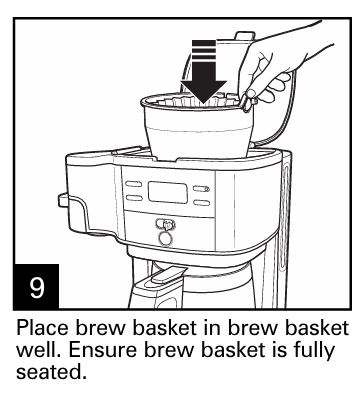
- Align the Brew Basket Properly: Always ensure that the brew basket is seated properly before brewing begins to avoid leaks.
- Clean the Coffee Maker: Regularly clean the machine to ensure that there are no clogs that could cause coffee to spill over.
Single-Serve Side Troubleshooting
The single-serve side of the Hamilton Beach 49980RG allows users to brew a single cup of coffee at a time. Here are some issues specific to the single-serve side of the machine and their solutions.
a. Coffee Overflow in Single Serve
Probable Causes:
- Too Much Ground Coffee: Using too much ground coffee or the wrong coffee grind can result in overflow.
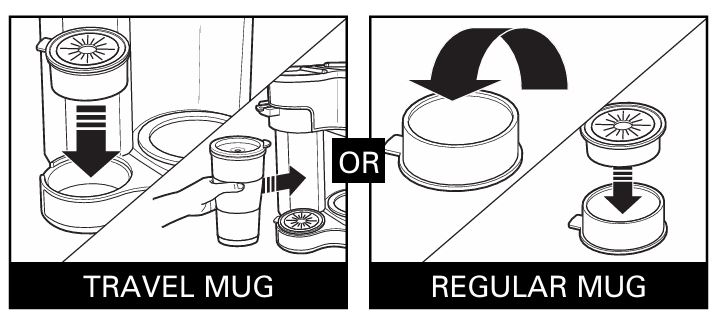
- Improper Mug Size: A mug that is too large can prevent proper brewing, leading to spills.
Solution:
- Adjust Coffee Grounds: Ensure that you are using the correct amount of coffee for a single cup. Do not exceed the recommended 14 ounces (414 ml) of water for brewing.
- Check Mug Size: Make sure that the mug is large enough to catch the brewed coffee but not too large that it prevents proper brewing.
b. Coffee Not Brewing or Unit Not Turning On
Probable Causes:
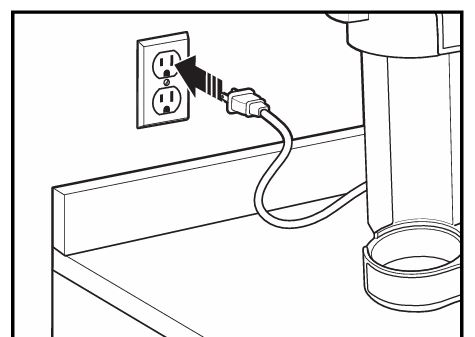
- The Coffee Maker is Unplugged: Ensure the coffee maker is plugged into a functional outlet.
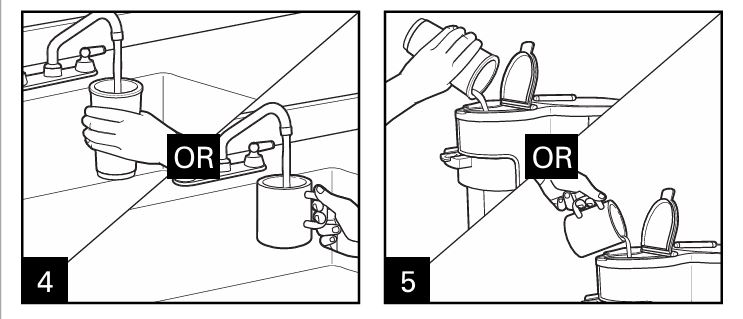
- Empty Water Reservoir: If the water reservoir is empty, the coffee maker will not brew.
- Power Surge or Outage: A power surge or outage may have interrupted the machine’s operation.
Solution:
- Check Power: Ensure that the coffee maker is plugged in and that the outlet is working.
- Fill the Water Reservoir: Check that the water reservoir is filled to the appropriate level before attempting to brew coffee.
- Reset the Clock: If there was a power surge or outage, you may need to reset the clock and programming settings before using the coffee maker again.
Carafe Side Troubleshooting
For larger brewing needs, the Hamilton Beach 49980RG allows users to brew up to 12 cups of coffee using the carafe side. Here are the most common issues associated with the carafe side and their solutions.
i. Coffee Sediment in Cup
Probable Causes:
- Using a Permanent Filter: A permanent filter may let more sediment through compared to a paper filter.
- Improper Filter Positioning: If the filter is not properly positioned, it can allow coffee grounds to spill into the cup.
Solution:
- Use a High-Quality Paper Filter: Paper filters prevent most sediment from getting into your coffee. Switch to a high-quality paper filter if you’re using a permanent filter.
- Ensure Proper Filter Placement: Always make sure that the filter is correctly placed and that the filter basket is seated properly.
ii. Coffee Not Brewing or Unit Not Turning On
Probable Causes:
- Carafe Not Positioned Correctly: If the carafe is not on the keep-hot plate, the brewing cycle may be interrupted.
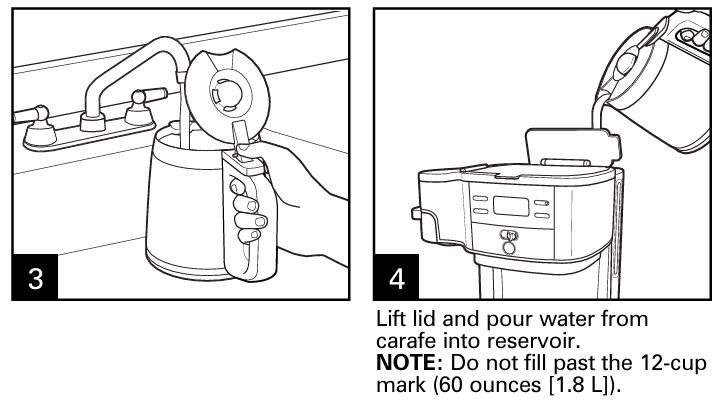
- Empty Water Reservoir: The water reservoir needs to be filled before brewing.
- Unit is Unplugged: Ensure that the coffee maker is plugged into a working outlet.
Solution:
- Place Carafe Correctly: Always ensure that the carafe is positioned properly on the keep-hot plate.
- Fill the Reservoir: Before brewing, make sure the water reservoir is filled to the proper level for the carafe side.
- Check Power: Ensure that the coffee maker is plugged in and that the power is on.
iii. Longer Brewing Time Than Normal
Probable Causes:
- Mineral Deposits in the Pump: Mineral buildup in the pump can cause slower brewing times.
- Incorrect Coffee-to-Water Ratio: A ratio that is too high or too low can cause the brewing cycle to take longer.
Solution:
- Descale the Coffee Maker: Run a cleaning cycle with a vinegar-water mixture to remove mineral buildup from the pump.
- Adjust Coffee-to-Water Ratio: Experiment with the amount of coffee you use to find a balance that works for you.
Cleaning and Maintenance
To keep your Hamilton Beach 49980RG brewing machine in good working condition, regular cleaning and maintenance are essential. Here are the steps for cleaning both the single-serve and carafe sides of the machine.
Cleaning the Single-Serve Side
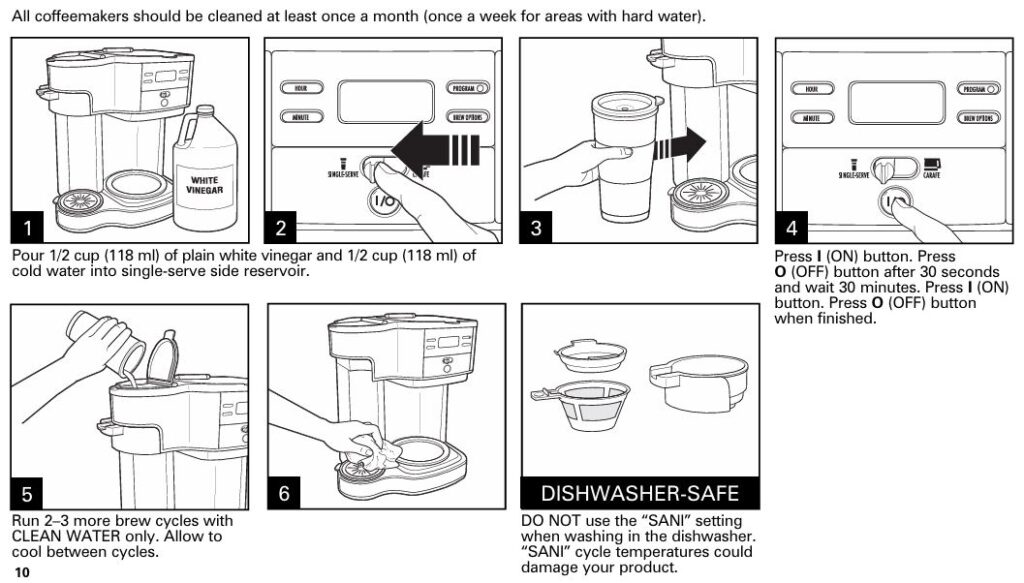
- Prepare Cleaning Solution: Mix equal parts white vinegar and water and pour it into the water reservoir.
- Run the Cleaning Cycle: Press the ON button and let the solution run through the machine.
- Rinse: After the cleaning cycle, run 2-3 additional cycles with clean water to remove any vinegar residue.
Cleaning the Carafe Side
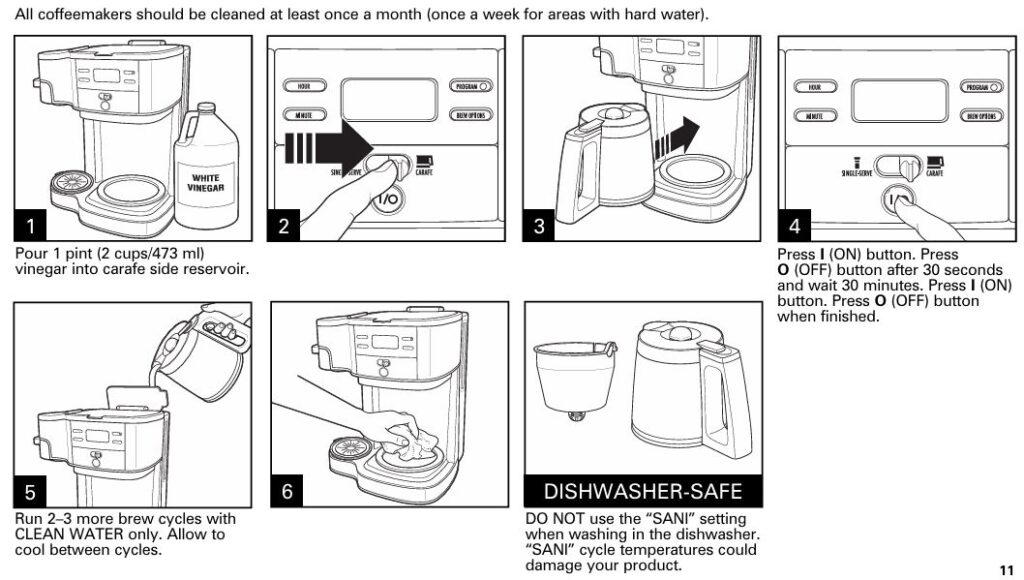
- Prepare Cleaning Solution: Pour 2 cups (473 ml) of white vinegar into the water reservoir.
- Run the Cleaning Cycle: Turn on the machine and let the solution run through the system.
- Rinse: Run 2-3 additional cycles with clean water to rinse the system thoroughly.
Regular cleaning ensures that your coffee maker operates efficiently and helps improve the taste of your coffee.
FAQs
Q1: Why is my coffee brewing slowly?
Slow brewing is often caused by mineral buildup in the coffee maker. Run a descaling cycle with vinegar to clean the machine and restore brewing speed.
Q2: How can I prevent coffee overflow during brewing?
Ensure you are using the correct amount of coffee grounds, and only fill the water reservoir up to the recommended level for single-serve brewing.
Q3: How can I make my coffee stronger?
Use more coffee grounds or two pods for the single-serve side, and increase the amount of coffee used in the carafe side.
Warranty Information
The Hamilton Beach 49980RG comes with a 1-year warranty for products purchased in the U.S. and a 5-year warranty for products purchased in Canada. The warranty covers defects in materials and workmanship. If your coffee maker is defective, Customer Service | HamiltonBeach.com for a repair or replacement.
By following this troubleshooting guide, you should be able to resolve any issues with your Hamilton Beach 49980RG 2-Way Programmable Brewing Machine. Whether it’s weak coffee, slow brewing, or overflow issues, these solutions will help you get the most out of your coffee maker. Regular cleaning and maintenance are key to ensuring your machine continues to brew delicious coffee for years to come.