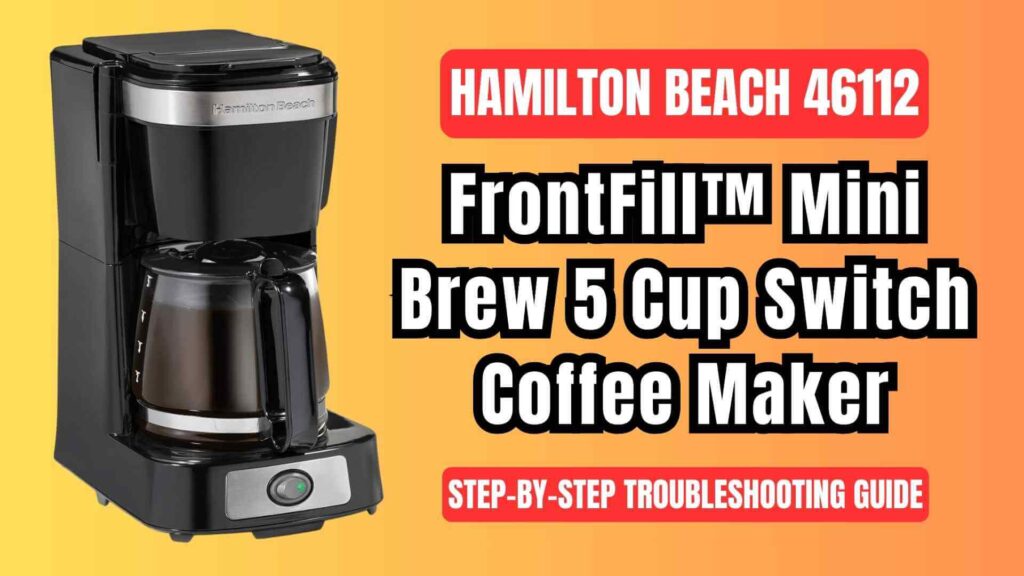
If you’re encountering issues with your Hamilton Beach 46112 FrontFill™ Mini Brew 5 Cup Coffee Maker, you’re not alone! Coffee makers, though incredibly reliable, can sometimes run into hiccups that interrupt their otherwise smooth brewing process. Fortunately, most problems are easy to resolve with a little troubleshooting.
This comprehensive guide will walk you through common issues, potential solutions, and tips for getting your coffee maker back to brewing delicious cups of coffee.
Common Hamilton Beach 46112 Issues
While the Hamilton Beach 46112 FrontFill™ Mini Brew is designed for ease of use, there are some issues that users commonly face:
- Coffee Maker Doesn’t Start
- Water Isn’t Brewing
- Coffee Overflowing
- Carafe Doesn’t Fit Properly
- Not Enough Coffee in Carafe
- Warming Plate Not Working
These problems can stem from simple causes such as improper settings, clogged components, or basic maintenance needs.
General Troubleshooting Steps
Before diving into specific issues, follow these initial steps to check for any simple fixes:
- Ensure Power Supply:
- Ensure the coffee maker is securely plugged into a working electrical outlet.
- For models with a power switch (e.g., Hamilton Beach 46112), check if the switch is turned ON.
- If your model has a digital clock, confirm that the clock shows the correct time to ensure the appliance is receiving power.
- Check the Water Reservoir:
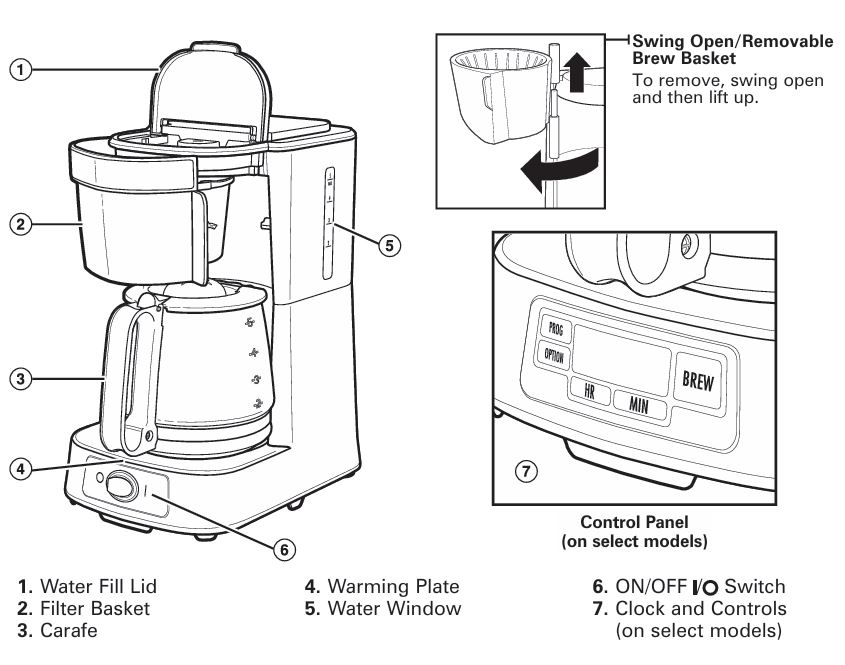
- Make sure the water fill lid is closed properly. An open lid can prevent the brewing cycle from starting.
- Inspect the Coffee Filter Basket:
- Verify that the filter basket is properly inserted into the unit. A misaligned basket can lead to improper brewing and overflowing.
Hamilton Beach 46112 Detailed Problem & Solutions
Let’s dive into specific issues and their solutions to get your Hamilton Beach 46112 functioning smoothly again.
1. Coffee Maker Doesn’t Start
Problem
If the coffee maker doesn’t power on or brew at all, it can be frustrating.
Solution
- Ensure the Power Switch is On: Double-check that the ON/OFF switch is turned to the ON position. Some models require you to manually turn off the switch after brewing; failure to do so can make it appear as though the coffee maker isn’t working.
- Check the Power Outlet: Plug something else into the outlet to ensure it’s providing power. If the outlet works, the issue might lie with the coffee maker’s internal wiring.
- Inspect the Power Cord: Look for any damage to the cord. A frayed or broken cord may prevent the coffee maker from functioning.
2. Water Isn’t Brewing
Problem
You’ve added water, but it’s not brewing or flowing through the coffee maker.
Solution
- Check the Water Reservoir: Ensure that the water fill lid is securely closed. If the lid is open, water won’t be drawn into the brew basket.
- Clean the Filter Basket: If the filter basket is clogged, it might block the water from flowing. Remove the filter basket and clean it thoroughly with warm soapy water.
- Check for Clogs in the Water Tube: If the water reservoir seems to be full but no water is making its way to the filter, the internal water tubes may be clogged. Run a cleaning cycle using white vinegar as described in the user manualHamilton Beach 46112 FrontFill ….
3. Coffee Overflowing
Problem
During brewing, coffee begins to spill over from the filter basket.
Solution
- Avoid Overfilling the Coffee Grounds: Do not exceed the recommended amount of coffee grounds per cup. For a 5-cup brew, use about 5 tablespoons of ground coffeeHamilton Beach 46112 FrontFill ….
- Ensure the Filter is Properly Positioned: If the coffee filter is improperly placed, it could collapse, leading to coffee grounds spilling into the brewing chamber.
- Monitor the Brew Cycle: If you use the Pause ‘N Serve feature to grab a cup before brewing is complete, be sure to return the carafe within 20 seconds. If left out for too long, coffee and hot water will overflowHamilton Beach 46112 FrontFill ….
4. Carafe Doesn’t Fit Properly
Problem
The carafe either doesn’t sit correctly on the warming plate or doesn’t pour correctly.
Solution
- Ensure the Carafe is Compatible: Use only the carafe provided with the coffee maker. Third-party carafes may not fit the design of the unit.
- Check for Damage: If the carafe is cracked or the handle is loose, it may not sit properly. Replace the carafe if damaged.
5. Not Enough Coffee in the Carafe
Problem
You’re brewing coffee, but it seems like the carafe isn’t filling up with the expected amount.
Solution
- Ensure Proper Water Measurements: For each cup of coffee, use around 5 ounces of water. Verify that the water level in the carafe corresponds with the amount of ground coffee you’re usingHamilton Beach 46112 FrontFill ….
- Check for Leaks: If water is leaking from the water reservoir or the filter basket, it may not be flowing into the carafe properly. Look for cracks or damage in the unit.
6. Warming Plate Not Working
Problem
After brewing, the coffee is not kept warm by the warming plate.
Solution
- Check the Carafe Placement: Ensure the carafe is sitting directly on the warming plate. If it’s off-center or improperly placed, it may not heat properly.
- Turn Off Timer Models: If you own a clock model, check if the auto shut-off has activated. These models typically shut off automatically two hours after brewingHamilton Beach 46112 FrontFill ….
Maintenance & Cleaning Tips
Routine maintenance and proper cleaning are essential to ensuring your Hamilton Beach coffee maker continues to perform at its best.
Monthly Cleaning:
To keep your coffee maker in tip-top shape, perform a monthly cleaning cycle:
- Fill the water reservoir with 1 cup of white vinegar and start the brew cycle without any coffee grounds.
- For models with an ON/OFF switch, allow the vinegar to clean for 30 minutes, then complete the cycle.
- For clock models, run the cleaning cycle by pressing the BREW button for 30 seconds, then let the vinegar clean for 30 minutes.
- After cleaning, run several cycles with clean water to rinse out the vinegarHamilton Beach 46112 FrontFill ….
Daily Cleaning:
After each use, clean the carafe, filter basket, and lid with warm, soapy water. Dry thoroughly to prevent water spots. The exterior of the coffee maker can be wiped down with a damp cloth.
FAQs about Hamilton Beach 46112
How do I reset my Hamilton Beach 46112 coffee maker?
To reset the coffee maker, simply unplug the unit for a few minutes, then plug it back in. This will reset any internal settings.
Can I use my coffee maker for brewing tea or hot water?
The Hamilton Beach 46112 is designed for brewing coffee, but you can use it to brew hot water. Simply run a cycle without adding coffee grounds.
Why is my coffee maker making a strange noise during brewing?
If you hear unusual sounds, it could be caused by air bubbles trapped in the water reservoir or a build-up of mineral deposits. Run a vinegar cleaning cycle to remove any mineral build-up.
By following these troubleshooting tips and maintenance steps, you can solve most issues with your Hamilton Beach 46112 FrontFill™ mini brew coffee brewing machine and enjoy a perfect cup of coffee every time. If problems persist after trying these solutions, contact Hamilton Beach customer support for further assistance.

0 Comments