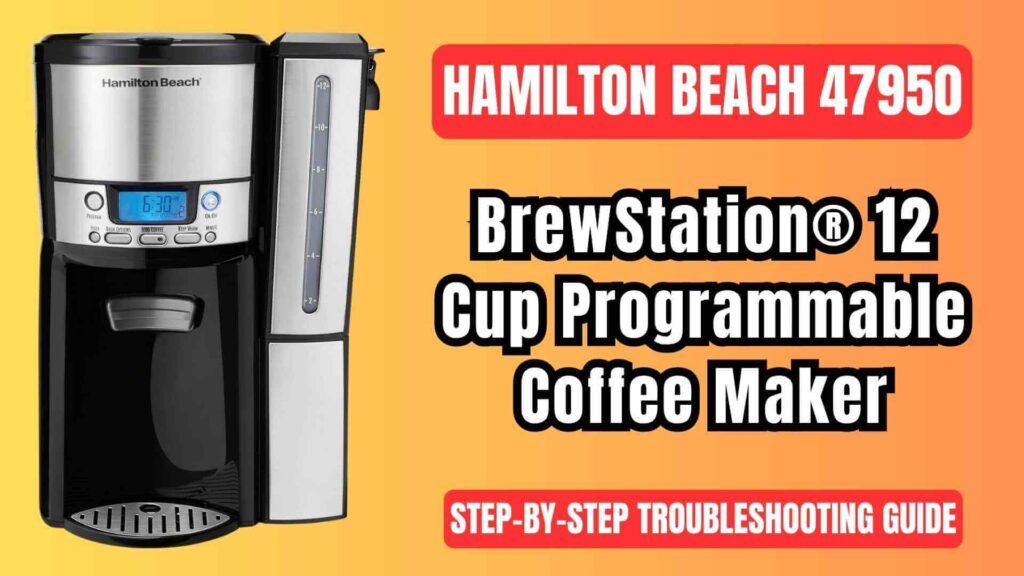
The Hamilton Beach 47950 BrewStation® 12 cup programmable coffee maker is a popular coffee maker that offers convenience with its single-serve dispensing feature. It’s designed to make brewing coffee quick, easy, and efficient. However, like all appliances, issues may arise from time to time.
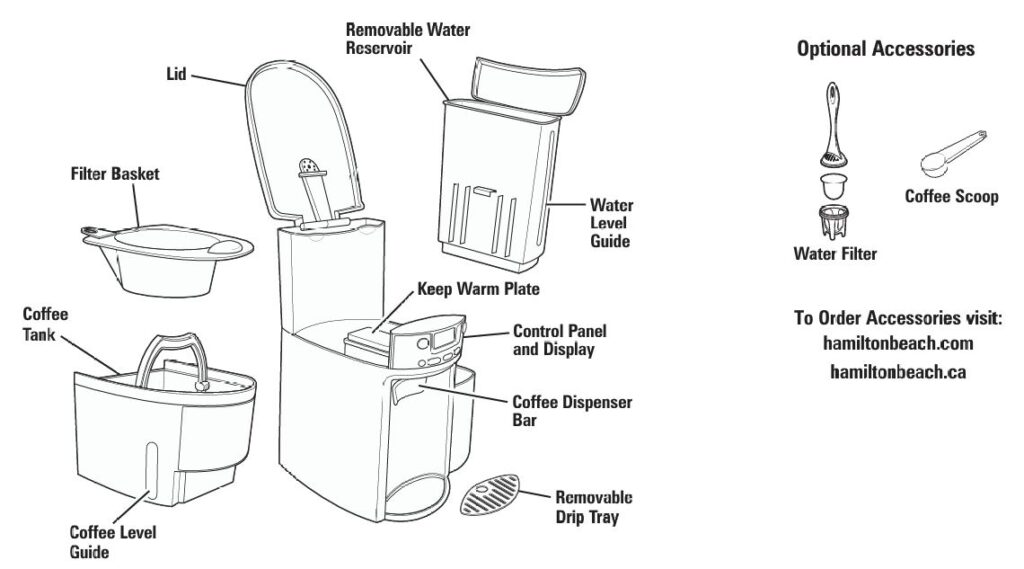
This comprehensive guide provides step-by-step troubleshooting solutions for common problems that users may face with this coffee maker. Drawing from the official user manual, this article will address each issue in detail and offer clear, actionable solutions.
Hamilton Beach 47950 BrewStation: Common Problems and Troubleshooting Solutions
1. Coffee Leaks from the Dispenser
Possible Causes:
- Coffee Grounds Trapped in the Coffee Tank: Coffee grounds can get stuck in the dispenser mechanism, causing leakage during brewing.
- Improper Sealing: If the coffee tank or dispenser is not sealed correctly, coffee may leak out.
Step-by-Step Solution:
- Clean the Coffee Tank: Over time, coffee grounds can accumulate beneath the seal in the coffee tank. Regular cleaning is necessary to maintain proper function. Use a cleaning solution or vinegar to remove trapped grounds and any residue.
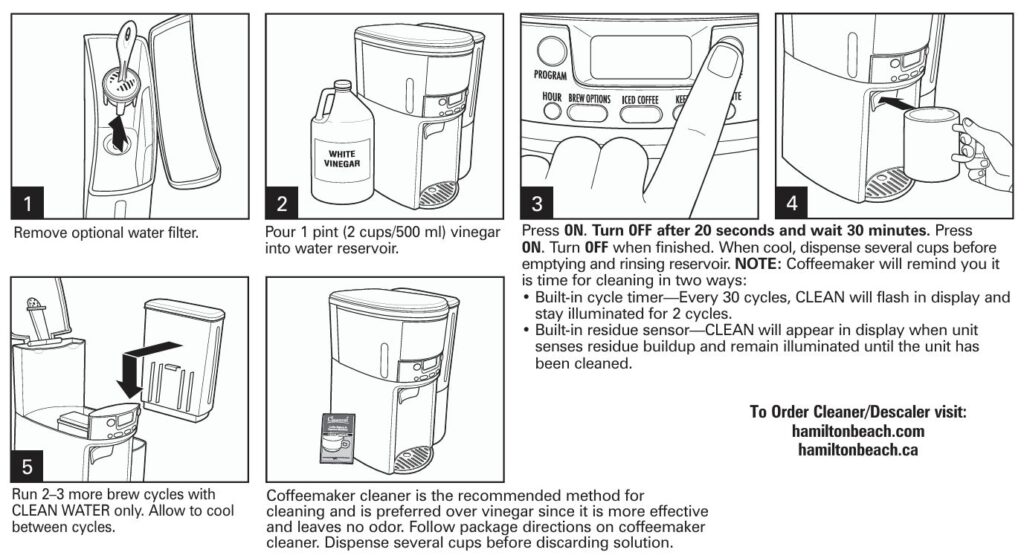
- Perform a Cleaning Cycle: Follow the “Cleaning with Vinegar” instructions from the user manual. Fill the water reservoir with 2 cups of vinegar, turn on the machine, let it run for 20 seconds, and then turn off. Let the solution sit for 30 minutes to dissolve any mineral buildup.
- Inspect the Seal: Ensure the coffee tank is properly sealed. If the seal is damaged, it may need to be replaced. Check for any misalignment or wear on the rubber seals.
2. “CLEAN” Appears in the Display
Possible Causes:
- Built-in Cycle Timer: The coffee maker automatically reminds you to clean after every 30 brewing cycles. This is a preventive measure to maintain the coffee maker’s performance.
- Residue Buildup: The unit may sense a buildup of mineral deposits or oils, signaling the need for cleaning.
Step-by-Step Solution:
- Run a Cleaning Cycle: If the “CLEAN” light appears on the display, it’s time for maintenance. Pour vinegar into the water reservoir, press the brew button, and run the cycle. After 20 seconds, turn off the machine, wait 30 minutes, then complete the cycle with water to remove any lingering vinegar.
- Replace the Water Filter: If you’re using a water filter, ensure it’s replaced every 60 cycles for better taste and to prevent build-up.
- Repeat the Cleaning: After cleaning, repeat the process with clean water. This will ensure that all vinegar and minerals are flushed out completely.
3. Coffee Tastes Bad
Possible Causes:
- Poor Quality Water: Using untreated or hard water can negatively affect the flavor of the coffee.
- Improper Grind Size: The coffee may be ground too coarse or too fine, leading to uneven brewing and bad-tasting coffee.
- Unbalanced Coffee-to-Water Ratio: Too much coffee or too little water (or vice versa) can make the coffee too strong or too weak.
Step-by-Step Solution:
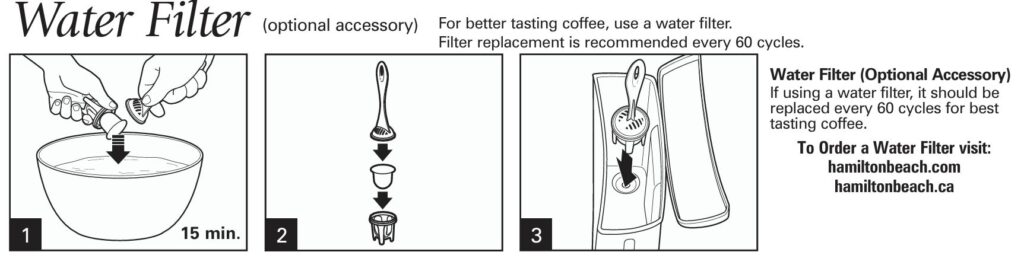
- Use Filtered Water: For the best coffee flavor, always use filtered or bottled water. Tap water often contains impurities and minerals that can alter the taste. Hamilton Beach even recommends using the optional water filter to enhance taste.
- Adjust the Grind Size: Ensure the coffee is ground to the proper size for an automatic drip coffee maker. Coffee grinders should be set to a medium or automatic drip grind for optimal brewing results.
- Adjust the Coffee-to-Water Ratio: For a standard brew, use 1 tablespoon of ground coffee per cup of water. You can adjust this ratio to suit your preferences. For stronger coffee, use slightly more coffee, and for weaker coffee, use less.
4. Coffee Not Brewing or Stops Brewing / Unit Will Not Turn On
Possible Causes:
- Power Supply Issues: The coffee maker may not turn on if it’s not plugged in properly, or there could be a power surge.
- Empty Water Reservoir: Ensure the water reservoir has enough water for brewing.
- Internal Malfunctions: A malfunctioning component may cause the coffee maker to fail to start.
Step-by-Step Solution:
- Check the Power Connection: Make sure the unit is properly plugged into a working outlet. If there was a power surge, unplug the unit, wait for 10 seconds, and plug it back in.
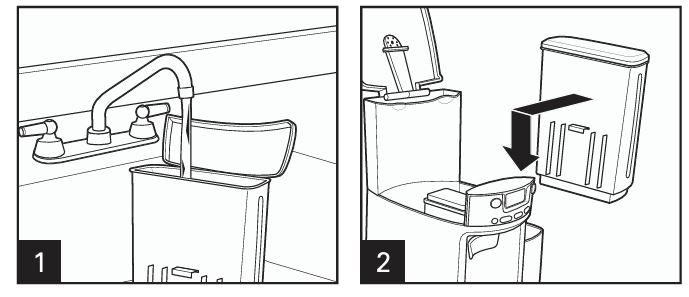
- Fill the Water Reservoir: If the water level is low, the coffee maker won’t brew. Ensure the reservoir has enough water for the desired number of cups.
- Perform a Reset: If the unit is not turning on, try unplugging it for 10 seconds to reset it, and then plug it back in.
- Inspect the Coffee Maker for Damage: If the unit is still not working, inspect the coffee maker for any visible damage. If the issue persists, contact customer service for further assistance.
5. Coffee Brews Slowly
Possible Causes:
- Mineral Deposits: Over time, mineral buildup from hard water can clog the brewing mechanism.
- Incorrect Brewing Settings: If the machine is set to a slow brewing mode (e.g., Bold or 1-4 cups), it may take longer to brew.
Step-by-Step Solution:
- Clean the Coffee Maker: Run a cleaning cycle with vinegar or a specialized coffee maker cleaner. This will remove mineral deposits and prevent clogging.
- Check the Brewing Settings: If the coffee maker is set to the “BOLD” setting or “1-4 cups,” it will brew more slowly. For faster brewing, use the regular setting.
- Replace the Water Filter: If you use a water filter, replace it every 60 cycles to maintain good flow and brewing speed.
6. Coffee Overflows from the Basket
Possible Causes:
- Excessive Coffee Grounds: Using too much coffee can cause the filter to overflow during brewing.
- Incorrect Filter Size: Using an oversized or low-quality filter may prevent proper filtration and cause overflow.
Step-by-Step Solution:
- Reduce Coffee Grounds: Ensure you’re using the right amount of coffee. The standard recommendation is 1 tablespoon per cup of water.
- Use the Correct Filter: Check that the filter is the correct size for the coffee maker. Using multiple filters or incorrect filters can cause overflow. Make sure the filter fits snugly in the basket.
- Check for Obstructions: Ensure that the coffee grounds are not spilling over from the filter into other areas. Clean the filter basket regularly to avoid clogs.
7. Coffee is Cold When Dispensed (When Not Using ICED COFFEE Setting)
Possible Causes:
- Coffee Maker Automatically Turned Off: The coffee maker shuts off automatically after a set number of hours (2 hours by default). If you don’t use the Keep Warm feature, the coffee may cool down.
- Incorrect Settings: The coffee may not be set to the correct brewing or warming mode.
Step-by-Step Solution:
- Reheat the Coffee: To reheat cold coffee, press and hold the ON/OFF button for 3 seconds. This will reset the warm timer.
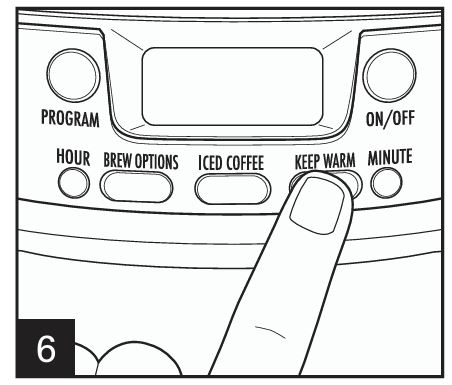
- Adjust Keep Warm Settings: Ensure that you set the Keep Warm timer to your desired duration (0-4 hours). This will keep your coffee warm until you’re ready to drink it.
- Brew a Fresh Pot: If the coffee has been sitting for too long, it may be best to brew a new pot.
Preventive Maintenance Tips
Regular Cleaning is Key
To keep your coffee maker in top shape, perform the following maintenance steps:
- Clean Monthly: Run a cleaning cycle with vinegar or a coffeemaker cleaner every month. This helps remove any mineral buildup and ensures smooth operation.
- Replace Water Filters Regularly: If you use a water filter, replace it every 60 cycles for optimal water quality and taste.
- Wipe Down the Exterior: Regularly wipe the exterior of the coffee maker to maintain its appearance. Avoid using abrasive cleaners that can scratch the surface.
Brewing Tips for the Best Coffee
- Use Fresh, Filtered Water: Always use clean, filtered water for brewing. Water quality can significantly affect the taste of your coffee.
- Grind Coffee Properly: Adjust your grinder to produce a medium grind for automatic drip brewing. This ensures optimal extraction and taste.
- Use the Correct Coffee-to-Water Ratio: Stick to 1 tablespoon of ground coffee for each cup of water. Adjust according to your personal taste preferences.
Frequently Asked Questions (FAQs)
How do I reset the coffee maker if it’s not turning on?
Unplug the unit, wait for 10 seconds, and then plug it back in. This will reset the coffee maker and may resolve the issue.
Why does the coffee overflow from the basket?
Overflow occurs when there are too many coffee grounds or when the wrong filter size is used. Ensure you’re using the correct filter and the proper amount of coffee.
Can I use vinegar to clean my coffee maker?
Yes, vinegar is an effective and natural cleaning solution. Simply follow the “Cleaning with Vinegar” instructions in the manual.
The Hamilton Beach 47950 BrewStation® 12 cup programmable coffee maker is a convenient and reliable appliance for coffee lovers, but like all machines, it can encounter problems from time to time.
Regular cleaning, proper maintenance, and using the correct coffee settings are key to keeping your appliance functioning smoothly and making delicious coffee every time.
By following this comprehensive troubleshooting guide, you can quickly resolve common issues and enjoy your coffee maker for years to come.

0 Comments