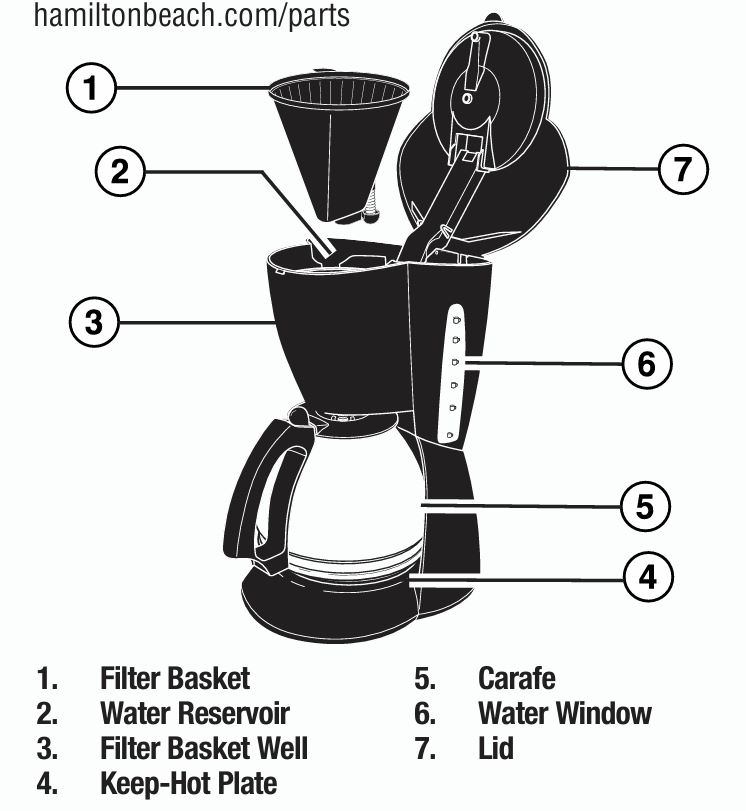
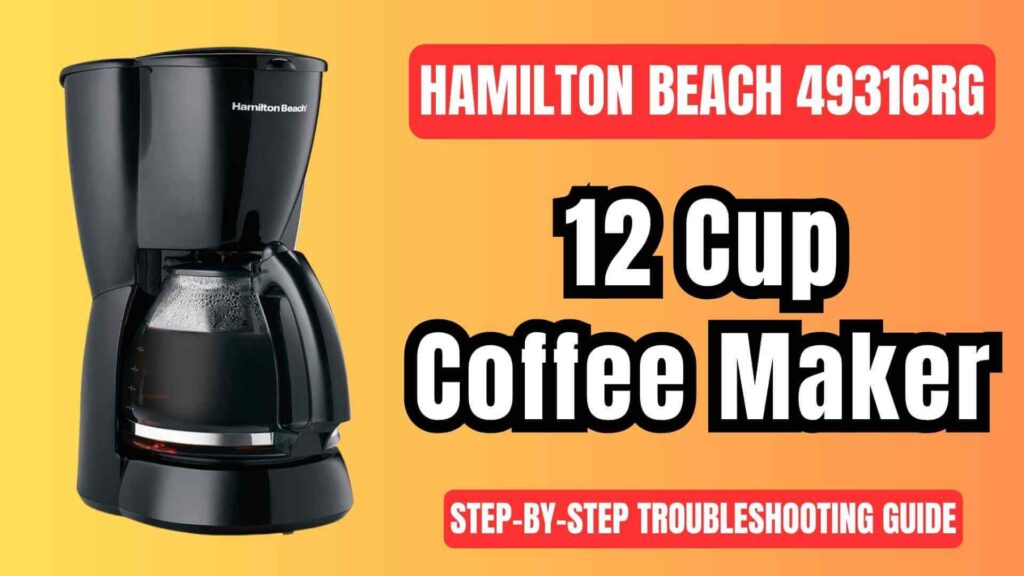
The Hamilton Beach 49316RG 12-cup coffee brewing machine is designed to simplify your coffee-making routine. It offers features like the Pause ’N Serve function, which allows you to pour a cup of coffee before the brewing cycle is complete, and an automatic shutoff to ensure safety by turning off the keep-warm plate after two hours. However, it is still prone to certain issues, such as malfunctioning buttons, water leakage, or inconsistent brewing.
Hamilton Beach 49316RG Common Issues and Solutions
1. Coffee Maker Not Turning On
Problem:
The coffee maker does not respond when you press the power button. It remains completely inactive.
Possible Causes and Solutions:
- Power Supply Problems: The most common reason the coffee maker fails to turn on is a problem with the power supply. Check if the coffee maker is plugged into a working outlet. If possible, test the outlet by plugging in another appliance.
- Solution: Plug the coffee maker into a different outlet or check the breaker box to ensure the circuit is not tripped.
- Power Cord or Plug Issues: Inspect the power cord for visible damage. A frayed or broken cord may prevent the coffee maker from receiving power.
- Solution: If you see visible damage on the cord or plug, you must contact Hamilton Beach customer service for a replacement cord or schedule a repair.
- Internal Fuse or Switch Problems: If both the power outlet and the power cord are in good condition, the issue may be internal. The internal fuse or power switch could be faulty.
- Solution: Unplug the coffee maker, wait 30 seconds, then plug it back in. If the appliance still doesn’t work, contact Hamilton Beach for a repair or replacement of the internal components.
2. Coffee Not Brewing
Problem:
The coffee maker turns on but doesn’t brew any coffee. It could make noise but not deliver any liquid.
Possible Causes and Solutions:
- Water Reservoir Empty or Improperly Filled: If the water reservoir isn’t filled or if the water level is too low, the coffee maker won’t brew.
- Solution: Make sure the reservoir is filled to at least the 12-cup line. The user manual states that the water level should not exceed the 12-cup mark.
- Clogged Filter Basket: The filter basket might be clogged with coffee grounds, preventing water from passing through.
- Solution: Remove the filter basket and check for any blockages. Clean the filter basket thoroughly under hot water to clear any remaining grounds. Ensure that the basket is properly seated before brewing.
- Carafe Misalignment: Sometimes the carafe is not properly positioned on the keep-hot plate, which can prevent the coffee from brewing.
- Solution: Ensure that the carafe is properly placed and level on the keep-hot plate. Make sure the lid is securely on the carafe to prevent spills.
- Clogged Internal Tubes: Over time, mineral buildup from hard water can clog the internal tubes and prevent the water from flowing correctly.
- Solution: Perform a descaling cycle by adding white vinegar and water to the reservoir. Fill the reservoir with a 50/50 mixture of water and vinegar, and run a brew cycle without any coffee grounds to clear the internal components.
3. Coffee Overflowing
Problem:
Water or coffee grounds overflow from the filter basket during the brewing process.
Possible Causes and Solutions:
- Overfilling the Water Reservoir: One of the most common reasons for overflow is filling the water reservoir past the 12-cup mark. This causes excess water to spill out during brewing.
- Solution: Always ensure that the water reservoir is filled to the 12-cup maximum mark. Do not exceed this level to avoid overflow during brewing.
- Too Many Coffee Grounds: If you use more than one tablespoon of coffee grounds per cup of water, the filter can easily become clogged, causing an overflow.
- Solution: For optimal brewing, use one level tablespoon of coffee grounds per cup of water. Adjust the amount based on your preferred coffee strength.
- Improper Filter or Filter Basket Alignment: An improperly inserted or misaligned filter can also cause overflowing. The filter may not sit correctly in the basket, causing water to spill out.
- Solution: Always use the recommended #4 cone paper filter and ensure it fits snugly in the filter basket. After placing the filter, make sure the filter basket is properly inserted into the appliance.
- Pause ‘N Serve Feature Misuse: If you remove the carafe too early, water and coffee grounds can overflow from the filter basket.
- Solution: If you want to use the Pause ‘N Serve feature, ensure you replace the carafe within 20 seconds. Otherwise, the filter basket may overflow due to the backflow of water.
4. Weak or Under-Brewed Coffee
Problem:
The brewed coffee is too weak or under-brewed, resulting in an unsatisfactory cup.
Possible Causes and Solutions:
- Incorrect Coffee-to-Water Ratio: If you don’t add the correct amount of coffee grounds, the brew might not be strong enough.
- Solution: For each cup of water, use one level tablespoon of coffee grounds. For stronger coffee, you can increase the amount of grounds but avoid going overboard, as it can cause clogging and weak brew.
- Brew Strength Selector Setting: If your model includes a brew strength selector, the setting may be on the mild option.
- Solution: Adjust the Brew Strength Selector to your preferred strength by rotating the knob to the “Strong” setting for a richer flavor.
- Stale Coffee Grounds: Using stale coffee grounds can lead to weak coffee. Old grounds lose their flavor and aroma, resulting in under-brewed coffee.
- Solution: Use freshly ground coffee for the best taste. Store your coffee grounds in an airtight container to preserve freshness.
- Clogged Filter or Brew Basket: A clogged filter or brewing mechanism can prevent water from properly passing through the coffee grounds.
- Solution: Make sure the filter is not overloaded, and clean the filter basket regularly to ensure smooth brewing. Performing a regular descaling cycle will also prevent buildup that may clog the machine.
5. Coffee Maker Leaking Water
Problem:
Water leaks from the coffee maker, either from the bottom or around the filter basket.
Possible Causes and Solutions:
- Cracked Water Reservoir: If the water reservoir is cracked, it will leak water when filled.
- Solution: Inspect the reservoir for cracks or any signs of damage. If the reservoir is damaged, contact Hamilton Beach customer service for a replacement.
- Improperly Seated Filter Basket: If the filter basket is not seated properly, it can cause water to leak around the edges.
- Solution: Ensure that the filter basket is placed properly in its compartment. Check that it is firmly inserted and that no water is leaking from the sides.
- Loose Carafe or Lid: If the carafe is not securely in place, it can cause water to spill.
- Solution: Make sure the carafe is placed correctly on the keep-hot plate and that the lid is tightly secured.
- Mineral Buildup in Internal Pipes: Mineral buildup from hard water can block the water pathways and cause leaks.
- Solution: Run a descaling cycle using a vinegar solution to clean the internal pipes and remove any mineral deposits.
6. Noisy Coffee Maker
Problem:
The coffee maker makes excessive noise during the brewing cycle.
Possible Causes and Solutions:
- Air in the System: Sometimes, air trapped in the system can cause the coffee maker to make unusual sounds. This is usually temporary and resolves itself after a few cycles.
- Solution: If the noise is caused by air, try running a couple of brew cycles with just water to help clear out the air bubbles.
- Mineral Buildup: A buildup of minerals in the internal components from hard water can cause the coffee maker to sound louder than usual.
- Solution: Perform a descaling cycle using a vinegar solution. This will help clear any mineral buildup inside the machine, reducing noise and improving performance.
- Improper Placement: If the coffee maker is on an uneven surface, it may cause parts of the machine to vibrate loudly.
- Solution: Ensure the coffee maker is placed on a flat, stable surface to prevent vibrations and noise.
Step-by-Step Solutions
If you are facing any of the above issues, follow these troubleshooting steps:
- Turn Off and Unplug: Before starting any troubleshooting, make sure the coffee maker is turned off and unplugged from the power outlet for safety.
- Check Water Levels and Filter: Verify that the water reservoir is filled correctly and that the filter basket is properly placed.
- Inspect the Carafe and Lid: Ensure the carafe is correctly aligned on the keep-hot plate and that the lid is secure.
- Descaling: If there are signs of clogging or mineral buildup, perform a descaling cycle. This can help remove any accumulated minerals from hard water.
- Test the Coffee Maker: Once you’ve completed the troubleshooting steps, plug the coffee maker back in and perform a test cycle with water to see if the issue has been resolved.
General Maintenance Tips
To avoid frequent issues with your Hamilton Beach 49316RG Coffee Maker, follow these maintenance tips:
- Clean Regularly: Regularly clean the carafe and filter basket to prevent any buildup of coffee grounds or oils. Use warm soapy water, or place the components in the dishwasher if they are dishwasher safe.
- Use the Right Filters: Always use the recommended #4 cone paper filter for optimal brewing results. Ensure the filter fits correctly in the filter basket.
- Descale Monthly: To prevent mineral buildup, descale the coffee maker once a month using a white vinegar solution.
- Replace Worn Parts: Periodically inspect the carafe, filter basket, and power cord for wear and tear. Replace damaged components promptly to maintain the coffee maker’s performance.
Frequently Asked Questions (FAQs)
How can I prevent overflow during brewing?
Ensure that the filter basket is properly seated, the water reservoir is filled to the correct level, and you’re using the correct coffee-to-water ratio. Never fill the water reservoir past the 12-cup line.
Can I use a reusable filter?
Yes, if your model supports it, you can use a reusable filter. Clean it regularly under hot running water and dry it before use.
Why is my coffee weak?
Make sure you’re using fresh coffee grounds and the correct coffee-to-water ratio. Adjust the brew strength setting to Strong for a bolder flavor.
How do I descale the coffee maker?
Mix equal parts white vinegar and water in the reservoir, then run a brew cycle. Follow it up with two cycles of plain water to rinse the system.
Conclusion
The Hamilton Beach 49316RG 12-cup coffee brewer is a reliable and easy-to-use appliance, but like any other device, it can encounter issues from time to time. By following the troubleshooting steps outlined in this guide, you can quickly address and resolve most common problems.
Regular maintenance, including cleaning and descaling, will ensure your coffee maker continues to perform at its best for years. If the problem persists after trying these solutions, don’t hesitate to contact Hamilton Beach’s customer support for assistance or a replacement if the unit is still under warranty.

0 Comments